On Cardnaira, initiating a withdrawal is quick and easy, taking just a few minutes to complete. Before proceeding, please ensure you have linked a bank card and set up your PIN.
https://www.cardnaira.com/dashboard/wallet
Pre-Withdrawal Checklist
Before you start, please confirm the following three conditions:
-
Available Balance: Your "Available Balance" must be greater than 0. Funds that are frozen or pending cannot be withdrawn.
-
Bank Card Linked: Go to the "Wallet > Bank Cards" page to ensure you have added and saved your own bank card information.
-
PIN Set: For fund security, you will need to enter your 6-digit PIN to verify the transaction.
4 Steps to Withdraw
Follow these steps to easily complete your withdrawal request:
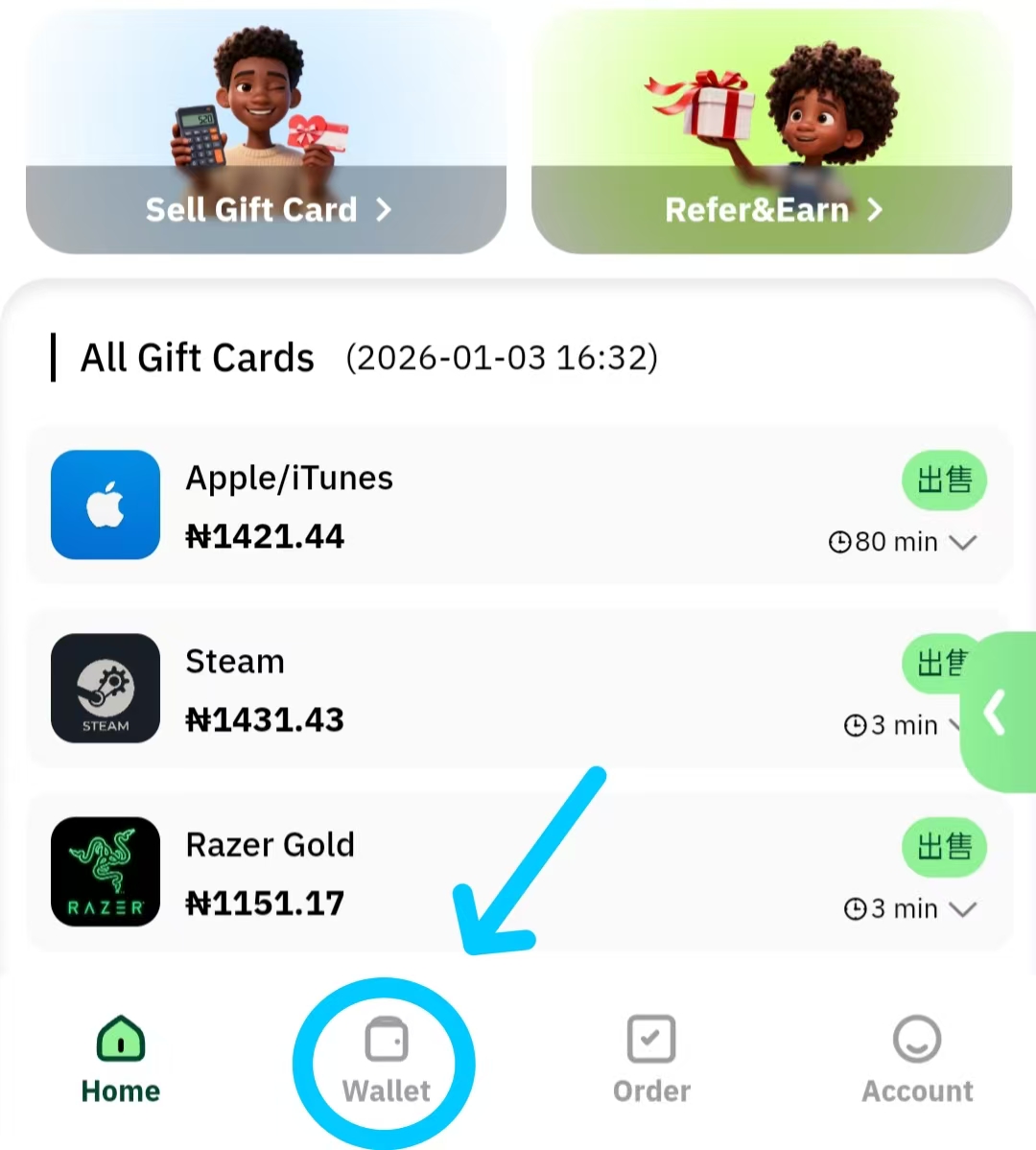
Step 1: Go to the Wallet Page
Log in to your Cardnaira account and click the "Wallet" navigation button at the top of the page, or tap the Wallet icon at the bottom on mobile.
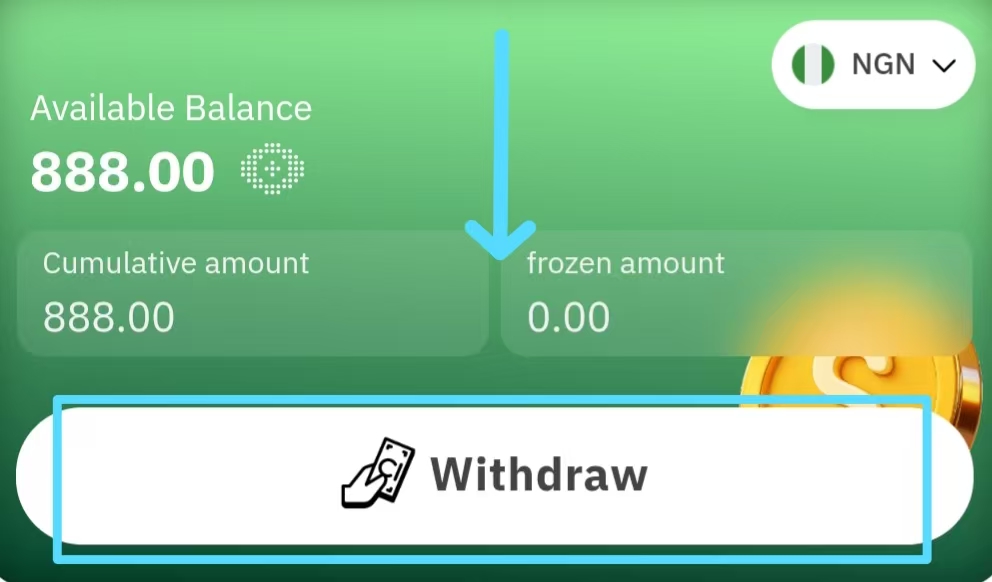
Step 2: Click the Withdraw Button
On the Wallet page, locate and click the "Withdraw" or "Withdraw Funds" button to enter the withdrawal request page.
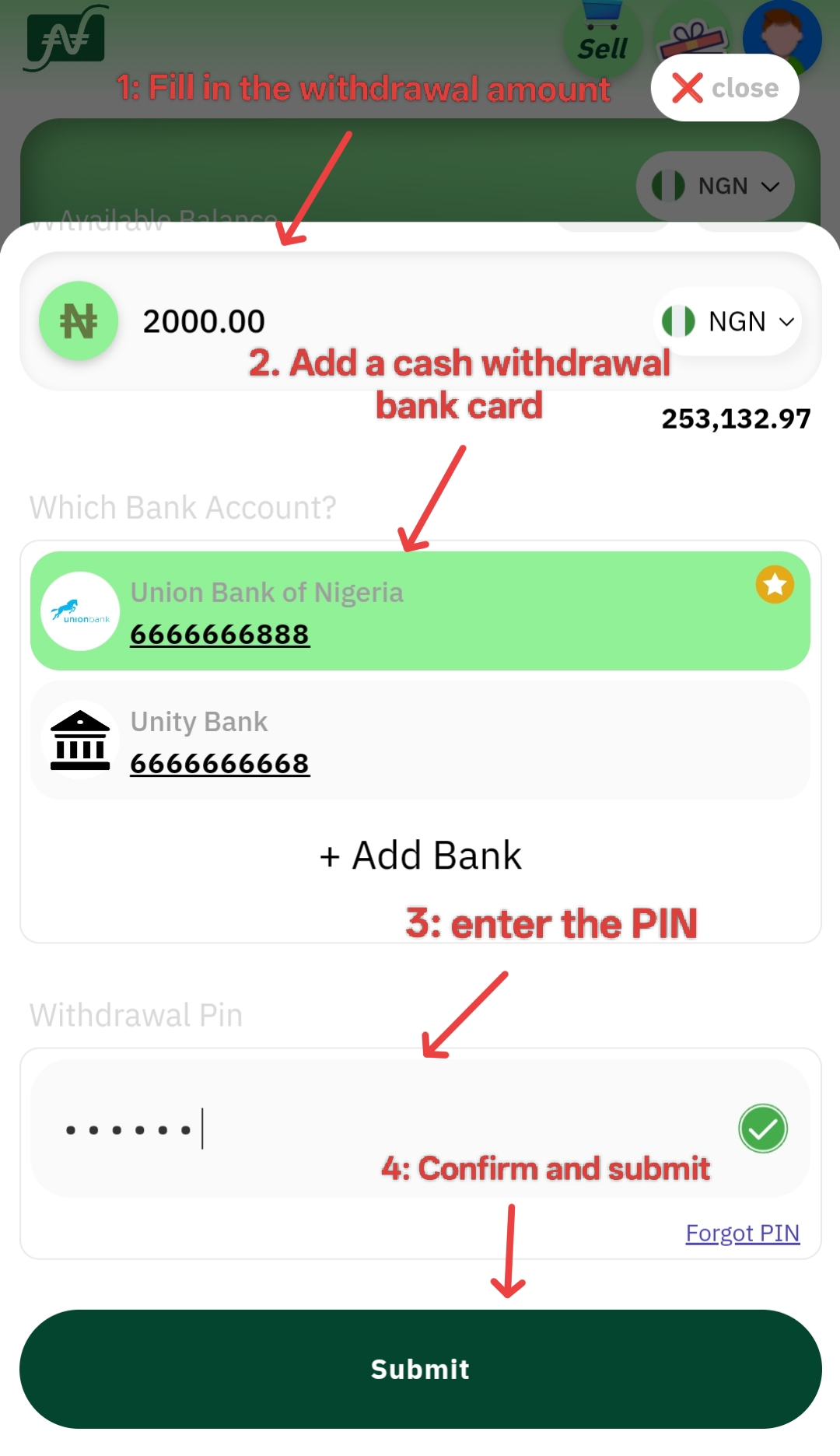
Step 3: Fill in Withdrawal Detailsbib
In the withdrawal form, accurately fill in the following details:
-
Select Bank Card: Choose the bank card you wish to receive funds on from the dropdown menu.
-
Enter Amount: Enter the amount you wish to withdraw (Minimum: ₦2000, Single Transaction Limit: ₦5,000,000). You can also click the "Withdraw All" button to instantly fill in your entire available balance.
-
Enter PIN: Input your 6-digit security payment password.Carefully review the bank name, account number, and withdrawal amount. Once confirmed, click the "Confirm" button to submit your request.
After Submission
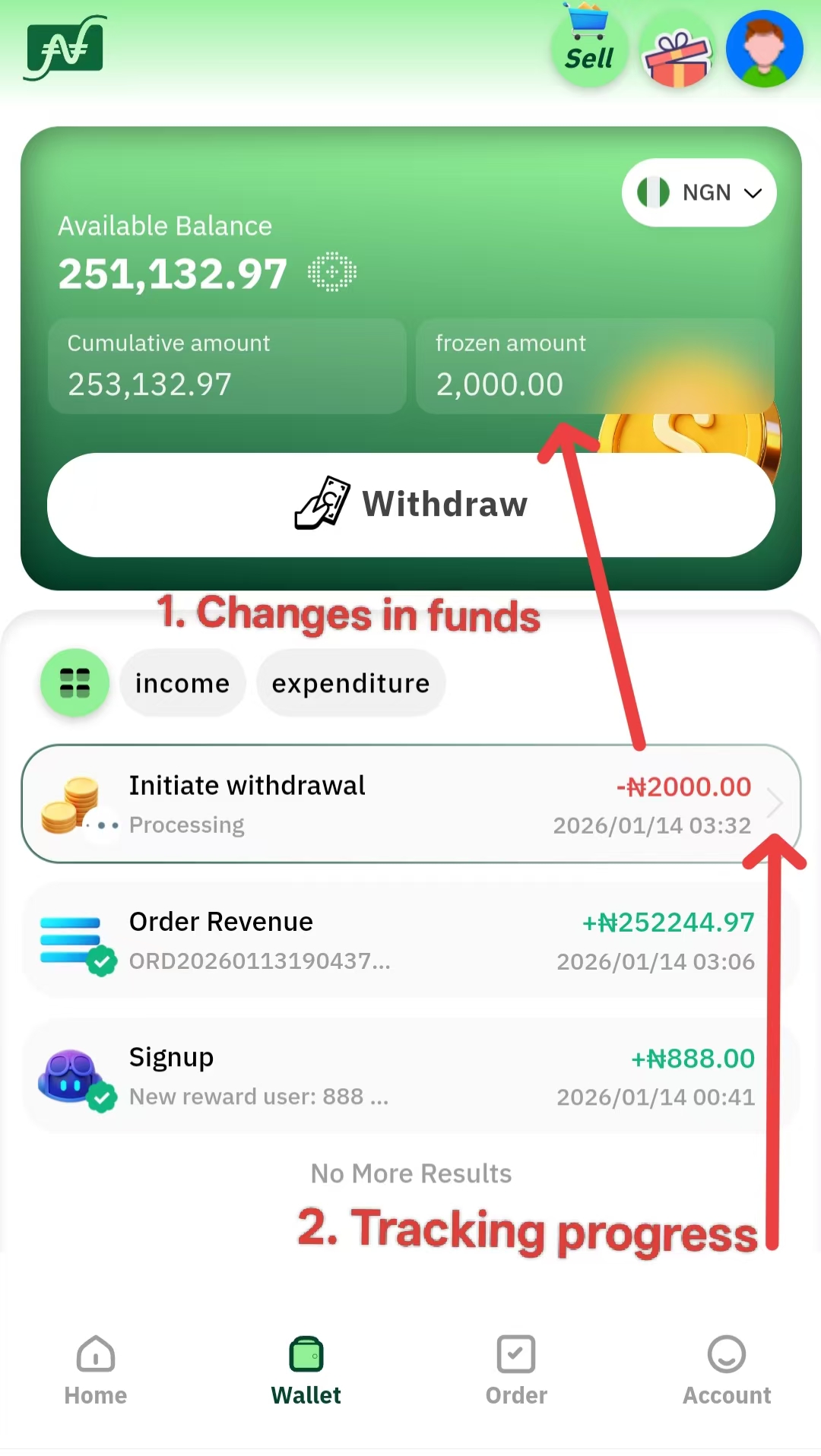
Upon successful submission, you will see a success page containing a Transaction ID.
-
Fund Movement: Your withdrawal amount will move from "Available Balance" to "Frozen Balance."
-
Track Progress: You can click "View Progress" or go to the "Transactions" page to track the status in real-time.
-
Arrival Time: Depending on your VIP level, funds typically arrive in your bank account within 3minutes to 3 hours.
Frequently Asked Questions
Q: Are there any withdrawal fees?
A: No, it is completely free. Cardnaira does not charge any fees for withdrawals of any amount for users of any VIP level.
Q: Why does it say "Insufficient Balance"?
A: Please check if the amount you entered exceeds your "Available Balance." If funds are in "Pending" or "Frozen" status, you must wait for them to move to your available balance before withdrawing.
Q: Can I withdraw to someone else's bank card?
A: No. For account security, you can only withdraw to a bank card that matches your registered name on Cardnabib