On Cardnaira, you can easily track all wallet activities, whether it's completing basic tasks, earning referral rewards, receiving leaderboard prizes, processing orders, or initiating withdrawals. All activity records are updated in real-time and stored permanently, helping you comprehensively manage and understand every fund movement.https://www.cardnaira.com/dashboard/wallet
This guide will show you how to quickly view and manage your wallet activities.
How to Find Your Activity Records
-
Click the "Wallet" navigation button at the top of the page.
-
On the Wallet page, scroll down to find the "Transactions" section.
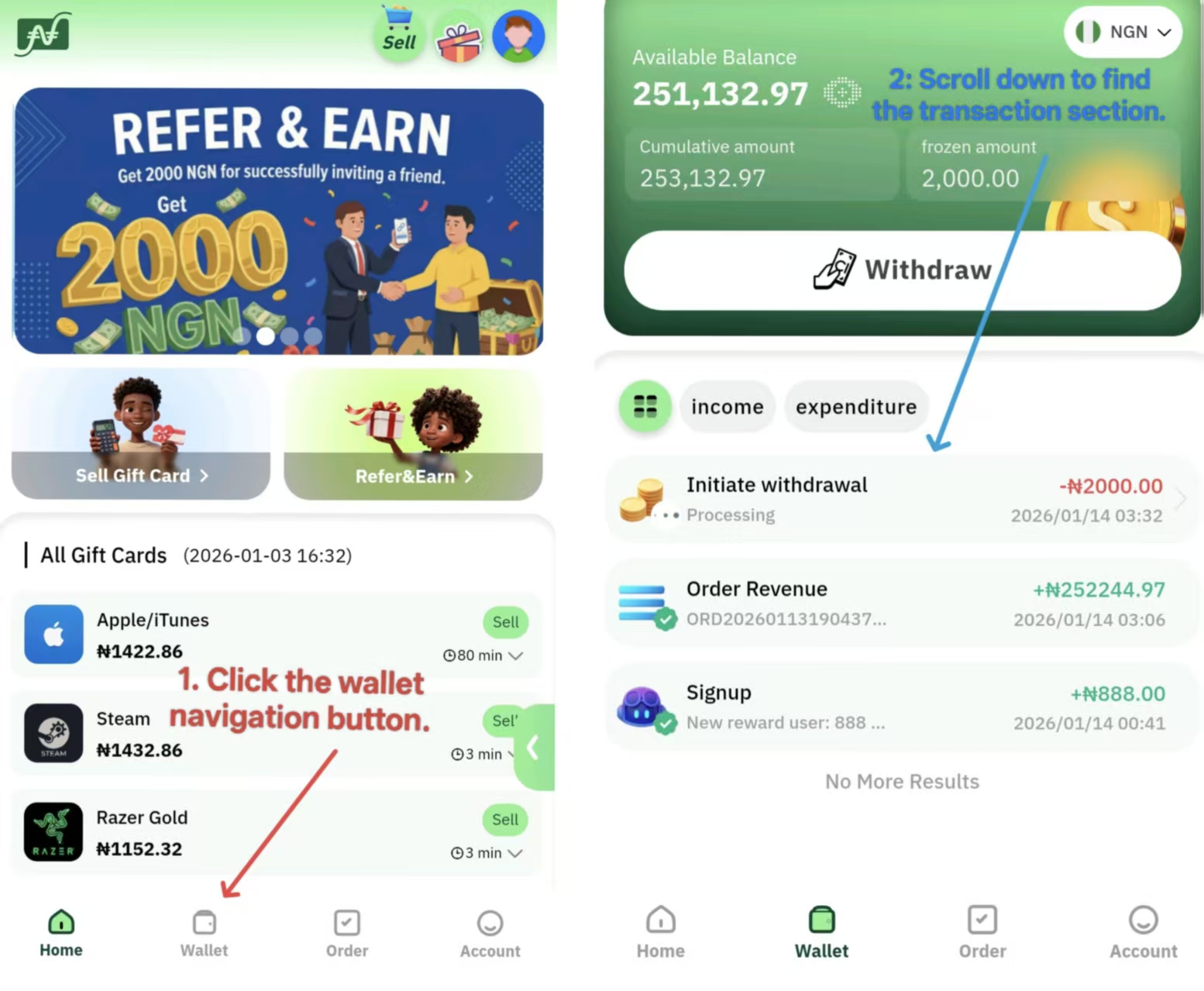
All transactions are listed in reverse chronological order, with the most recent records appearing at the top.
Wallet Activity Types
Frequently Asked Questions
Q: Why can't I find a specific transaction?
A: First, please check if you have any view filters applied (if available). If the transaction just occurred, please wait a few minutes and refresh the page. If you still cannot find it, please contact customer support and provide the approximate time and amount of the transaction.
Q: What should I do if a withdrawal record stays "Pending" for a long time?
A: This usually means the bank is processing the transfer. Processing times vary by VIP level, ranging from a few minutes to 1 hours. If the status has not updated after 24 hours, please check if the funds have arrived in your bank account first, then contact our customer support for assistance.
Q: Why is the amount I received different from what I expected?
A: For income, please click on the transaction details to view calculations such as exchange rates and VIP bonuses. For withdrawals, Cardnaira does not charge handling fees, so the amount received should exactly match the requested amount. If you find any discrepancies, please contact customer support immediately.