If you need to update your bank account information, remove a card you no longer use, or have added an incorrect account, deleting a bank card from your Cardnaira account is a safe and simple process. This guide will provide you with detailed instructions.
The Complete Process for Deleting a Bank Card
Please follow the steps below to securely remove a bank card from your Cardnaira account.
Step 1: Go to the Bank Card Management
-
Log in to your Cardnaira account.
-
Click on "Settings" at the top of the page.
-
In the menu on the left, select "Bank Cards".You will see a list of all your linked bank
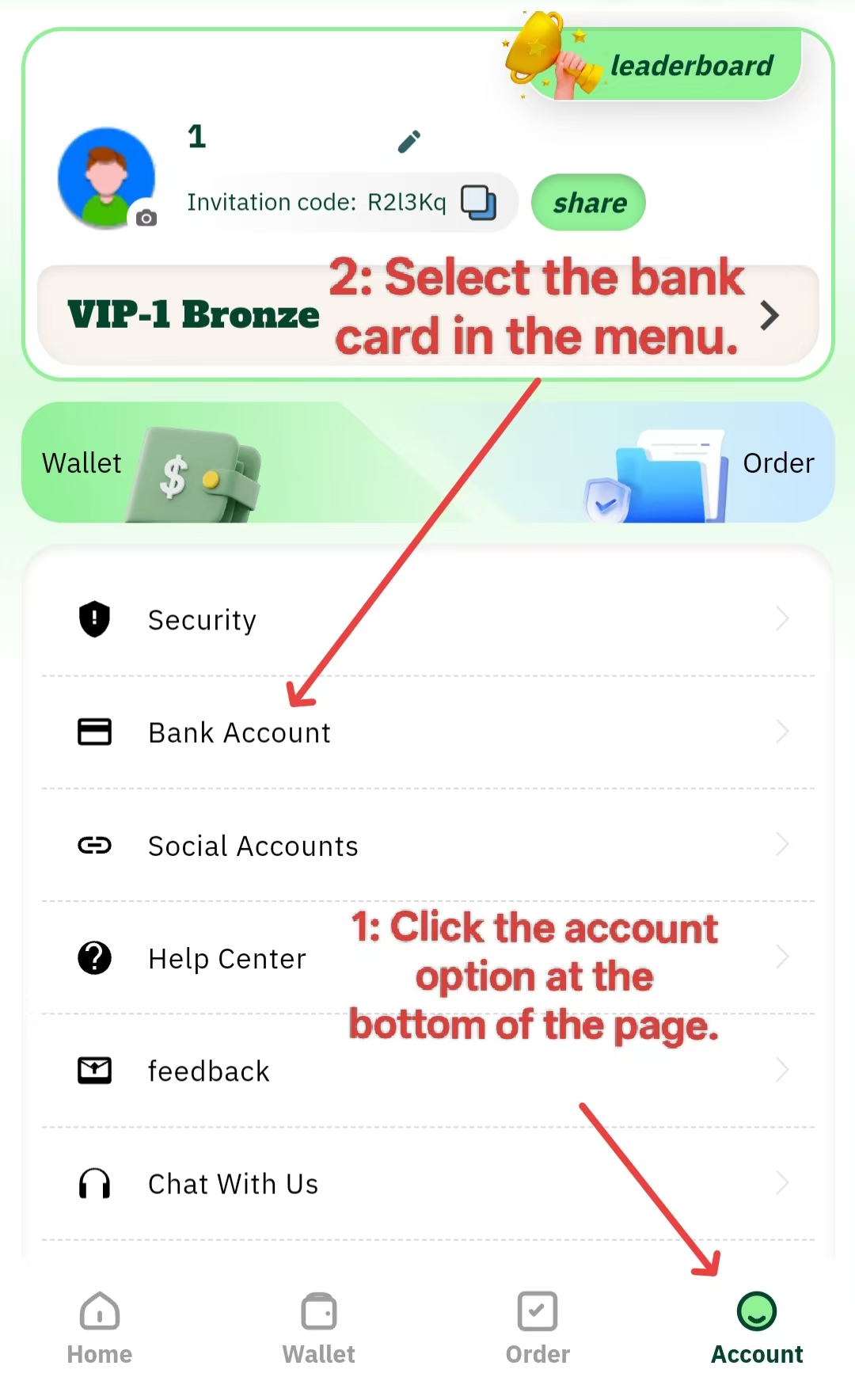
Step 2: Locate and Select the Bank Card to Delete
In the list of bank cards, find the card you wish to delete. You can identify it by the bank name, logo, or the partially hidden account number (e.g., ****6789).
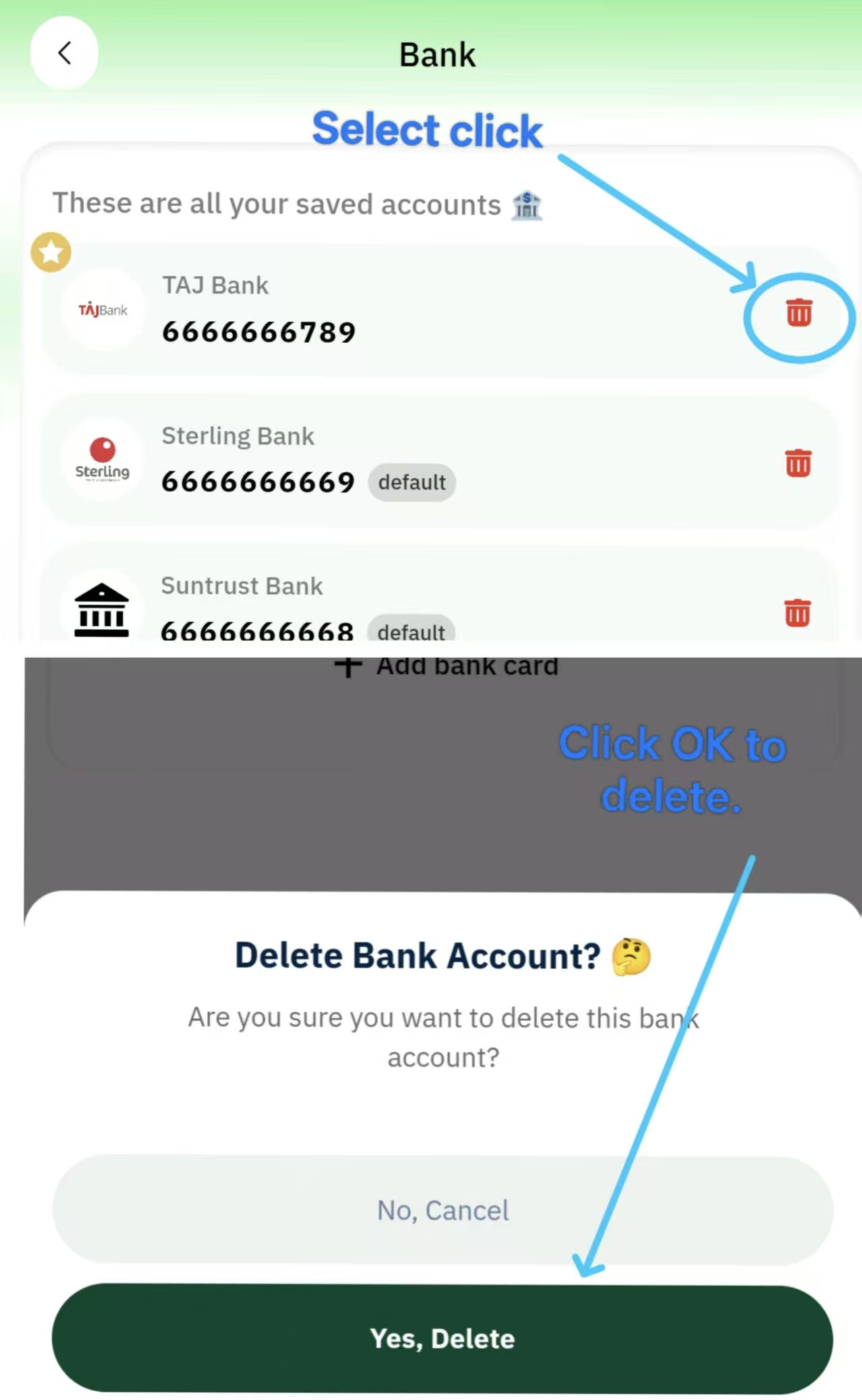
Step 3: Click the Delete Icon and Confirm
-
Next to the bank card you want to delete, click the delete icon (usually shaped like a trash can).
-
A confirmation dialog box will pop up, asking you to confirm the action. The dialog box will display the bank name and partial account information.
-
Please check carefully to ensure you have selected the correct bank card.
-
Click the "Confirm Delete" button.
Step 4: Wait for the Process to Complete
After clicking confirm, the system will need a few seconds to process your request. Please wait patiently and avoid refreshing or closing the page during this time.
Once the process is successful, you will receive a "Bank card deleted successfully" message, and the card will disappear from your list of bank cards.https://www.cardnaira.com/dashboard/account/bank-account