Adding a bank card on Cardnaira is a simple and direct process, and a crucial step for successfully withdrawing your funds. This guide will walk you through each step of adding a bank card to ensure your account information is accurate.
The Complete Process for Adding a Bank Card
Please follow the steps below to securely link your bank card to your Cardnaira account.
Step 1: Go to the Bank Card Management Pagehttps://www.cardnaira.com/dashboard/account/bank-account
-
Click on "Account" at the top of the page.
-
In the menu on the left, select "Bank Cards".
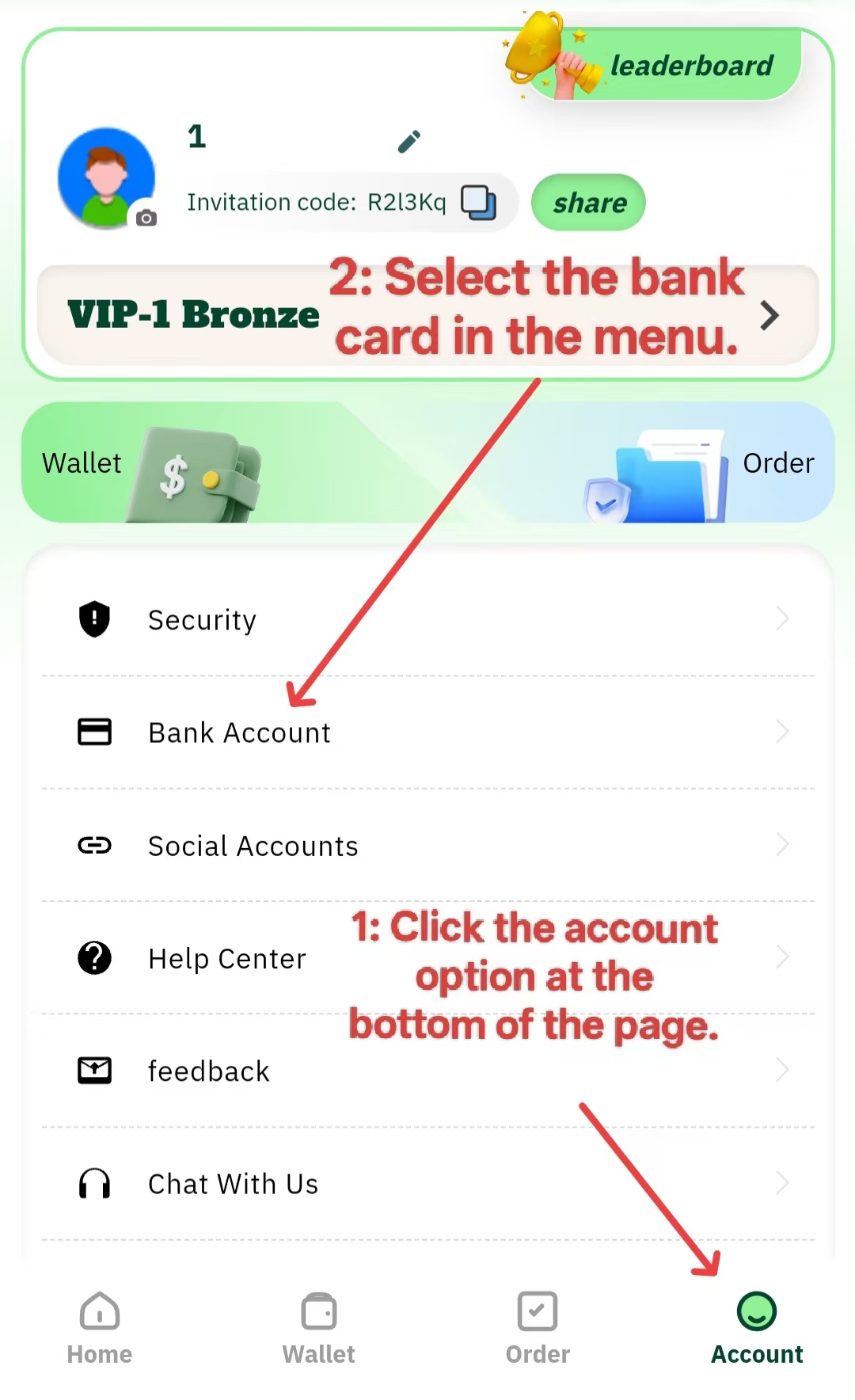
You will be taken to the bank card management page, which displays a list of your linked bank cards and an "Add Bank Card" button.
Step 2: Select Your Bank
-
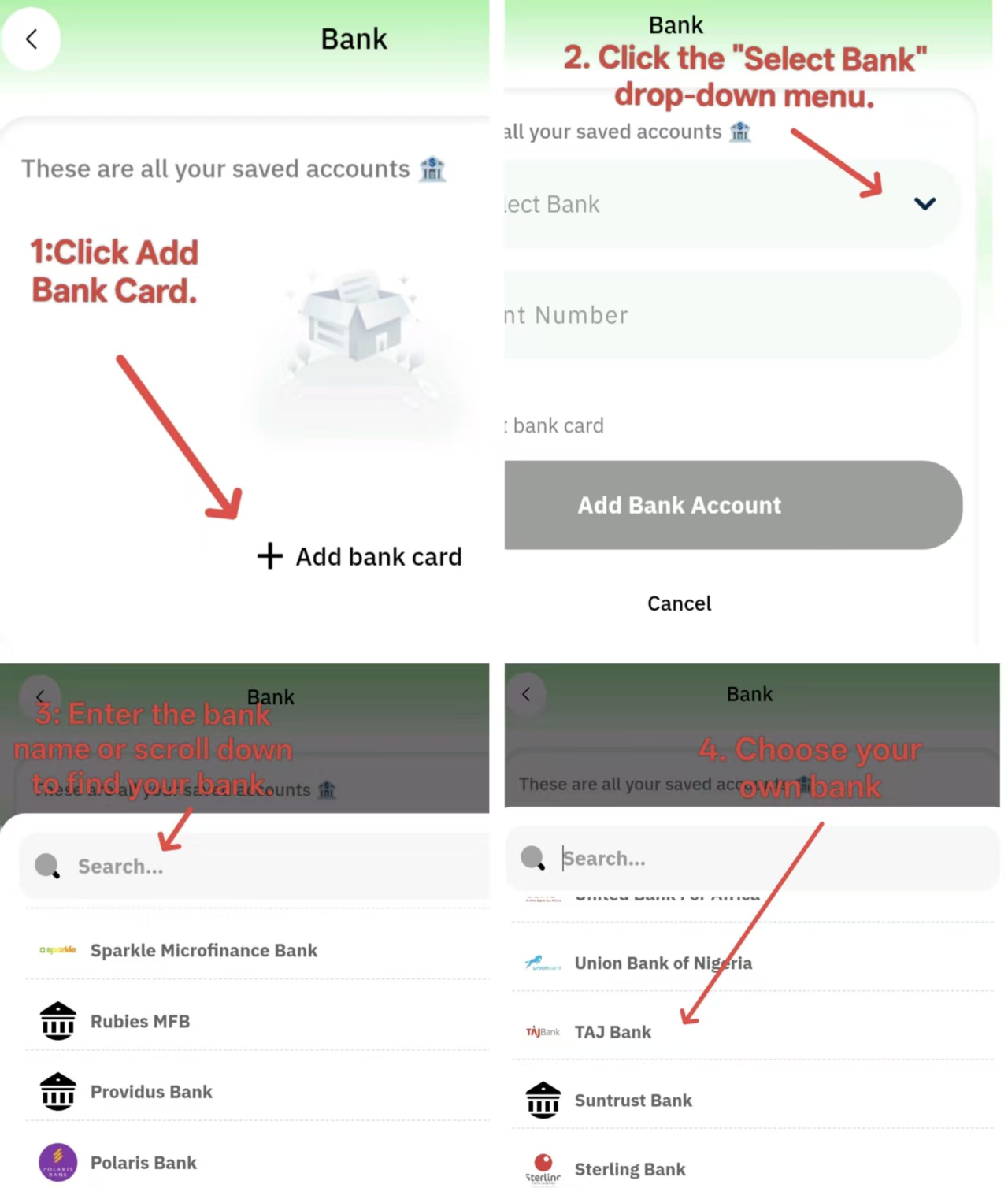
Click the "Add Bank Card" button to open the form.
-
Click the "Select Bank" dropdown menu.
-
You can find your bank quickly by scrolling through the list or by using the search function. Enter the bank's name (e.g., "TAJ Bank") to filter the results.
-
Select the correct bank from the list.
Step 3: Enter the Account Number
-
In the "Account Number" field, accurately enter your bank account number.
-
Please ensure you only enter numbers, without any spaces or special characters.
-
Carefully double-check the number to make sure it exactly matches the information on your bank card. Nigerian bank accounts typically have 10 digits.
Step 4: Submit and Save
-
After filling in all the information and confirming it is correct, click the "Submit" or "Add Card" button.
-
The system will perform a real-time verification through the bank's interface. This process usually takes 10 to 30 seconds.
-
Once the verification is successful, the system will display a success message, and the newly added bank card will appear in your list.
an