For situations where you either forget or need to update your login password, here are two solutions to help you:
-
When you can log in and remember your current password: It's recommended to update your password directly through the account settings for convenience.
-
When you forget your password and cannot log in: You can regain access by resetting your password via your registered email address.
Case 1: When you can log in and remember your current password
If you're able to access your account and still remember the password, follow these simple steps to update it:
-
Log in to your account and go to the personal menu in the top-right corner. Navigate to Settings → Security.
-
On the password update page ( www.cardnaira.com/forgot-password/forgot-password ), enter your current password, then set and confirm your new one.
-
Click the Update/Save button to finalize changes.
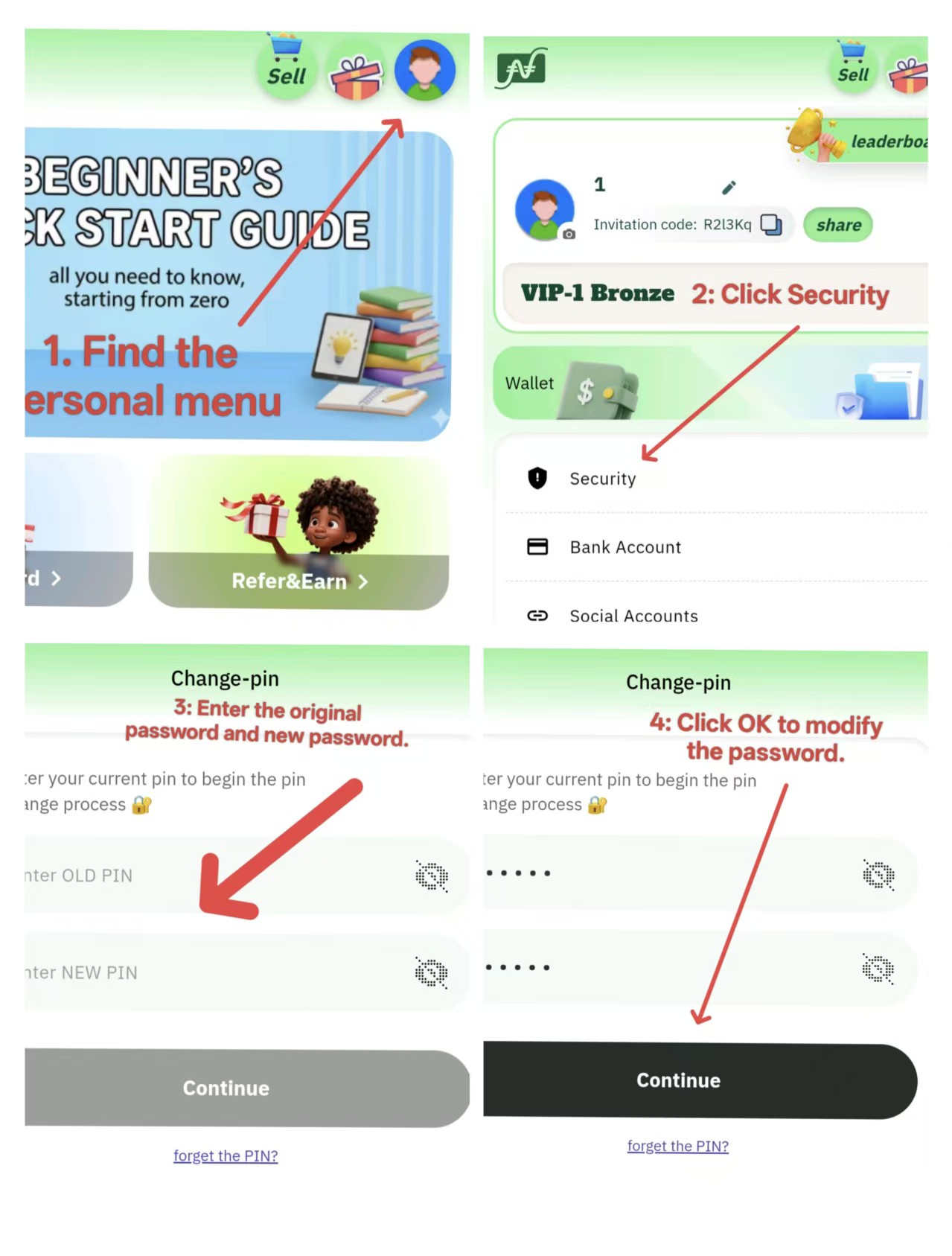
Case 2: Resetting your password if you forget it and can't log in
If you've entirely forgotten your password and can't access your account, don't worry—just follow these easy steps to reset it:
-
Please visit the Password Recovery Page. Enter the email([email protected]) address associated with your account. After submission, a password reset guide or verification code will be sent to your inbox.
-
Follow the instructions in the email: enter the verification code or click the reset password link to access the New Password Setup page.
-
Create a new password and confirm.
-
Congratulations, you have successfully changed your password.
Helpful Reminder: If you're using a third-party email provider like Gmail, check your "Spam" or "Promotions" folders to ensure you don't miss the email. Typically, system emails are sent within one minute of a request.
Tips for Keeping Your Account Safe
-
Choose a strong password that is at least 8 characters long and incorporates a mix of uppercase letters, numbers, and special symbols for improved security.
-
Avoid storing your login credentials on shared devices or public networks to reduce the risk of data breaches.